

The setup wizard runs once, right after you activate the plugin, to get you productive in under a minute.
Step 1 — Provider
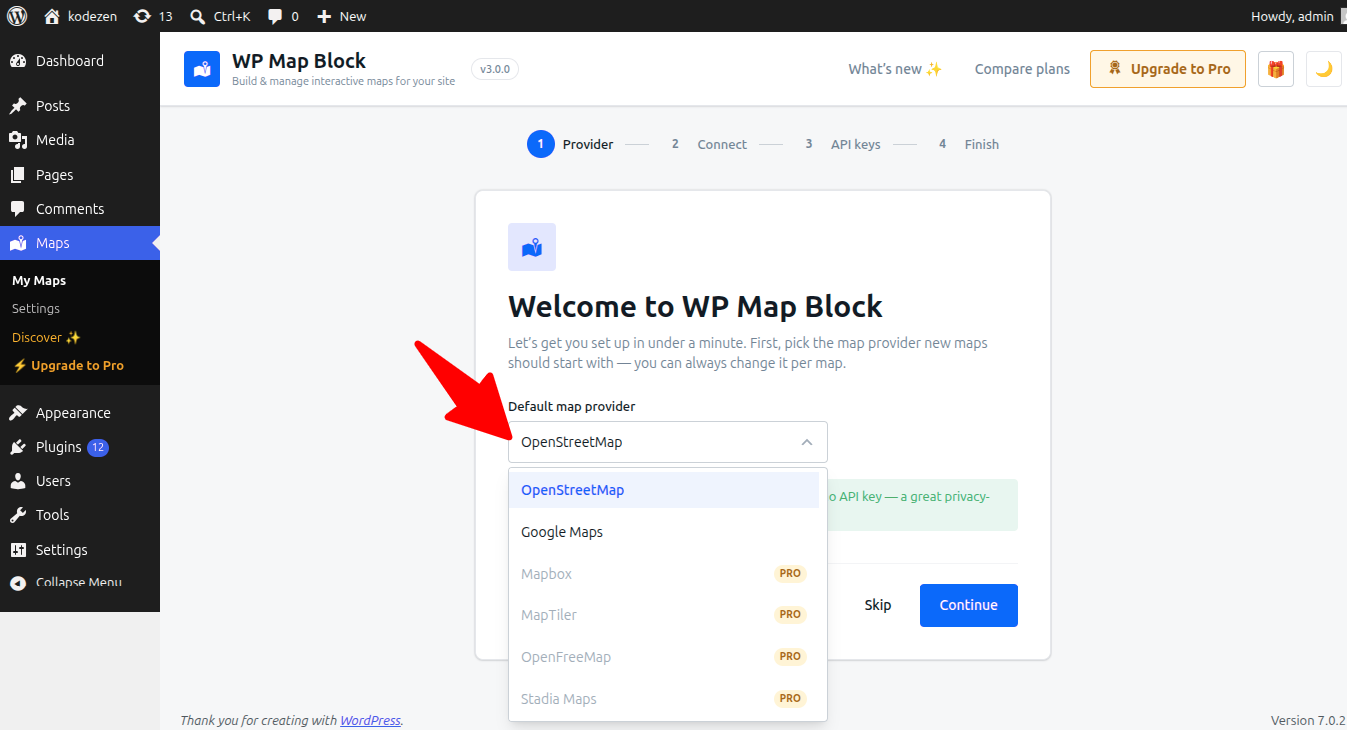
Choose the map provider new maps should start on. OpenStreetMap and OpenFreeMap need no key and are great privacy-friendly defaults.
Step 2 — Connect
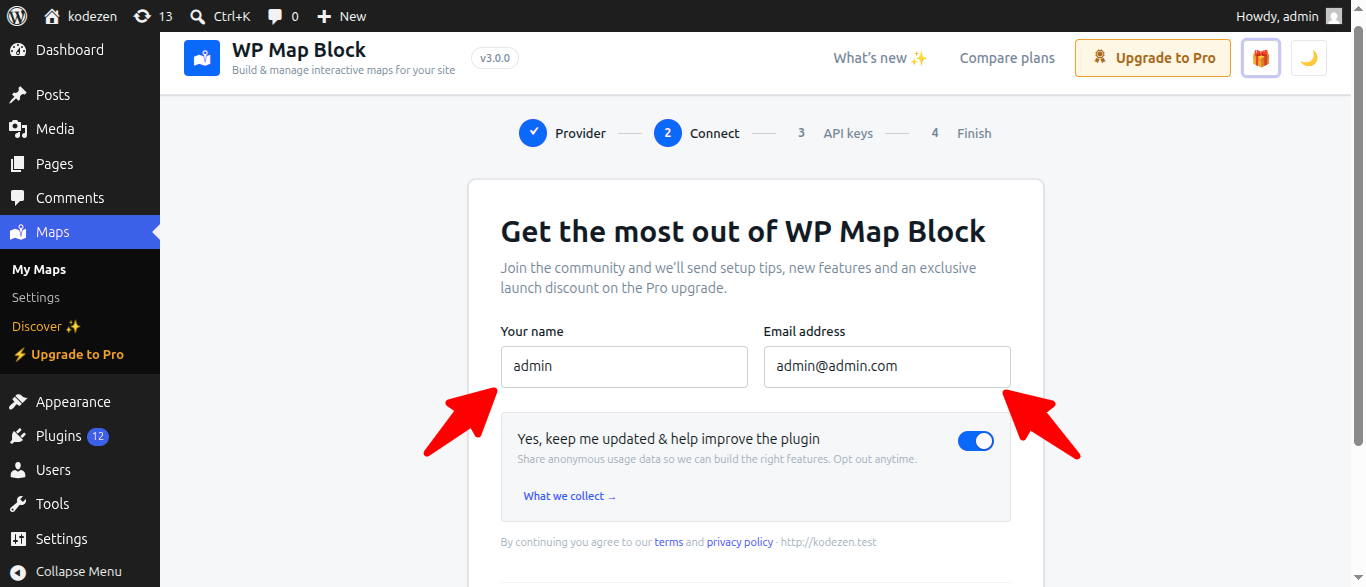
Confirm your name and email to receive setup tips and an optional launch discount. Usage insights are opt-in and can be turned off any time — you can also Skip this step entirely.
Step 3 — API keys
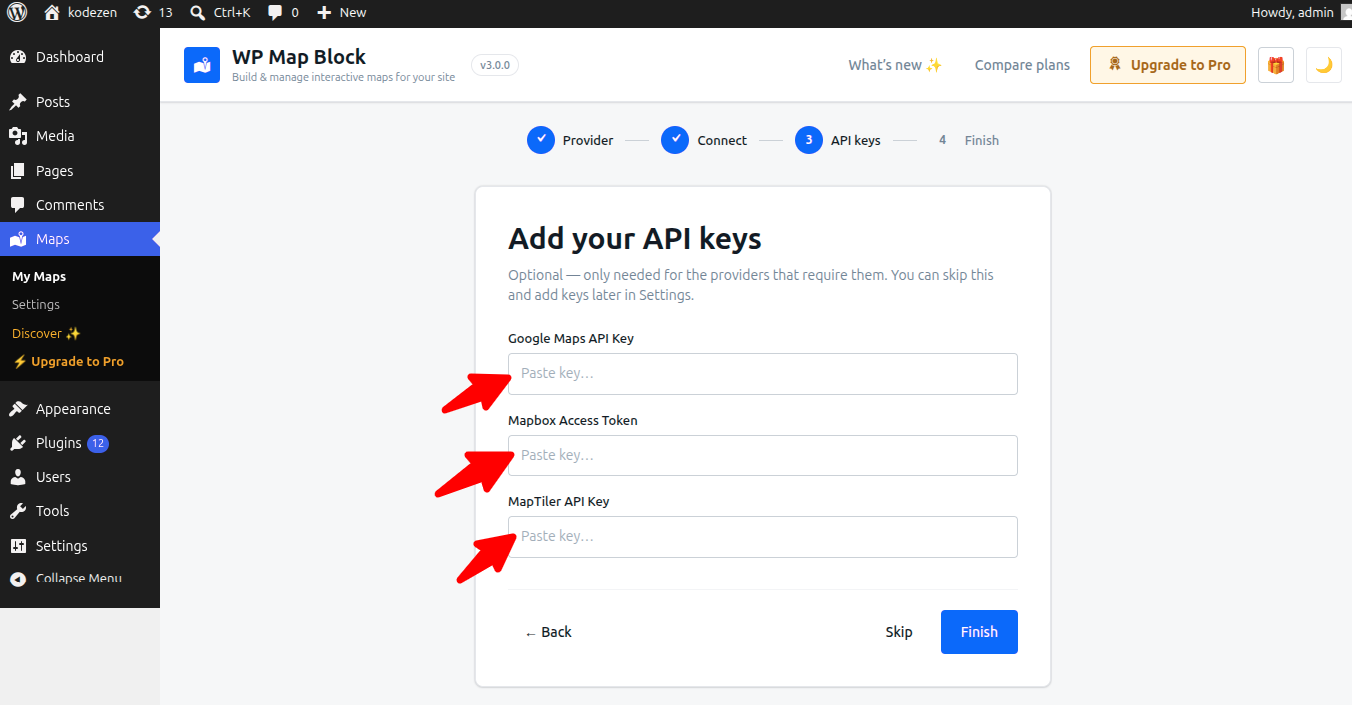
Optionally paste keys for Google, Mapbox or MapTiler now. You can always add them later in Settings.
Step 4 — Finish
Jump straight into building your first map, or head to the dashboard.
You can reopen the wizard any time from the dashboard.