

WP Map Block installs like any WordPress plugin. The free version needs no API key to start — OpenStreetMap works out of the box.
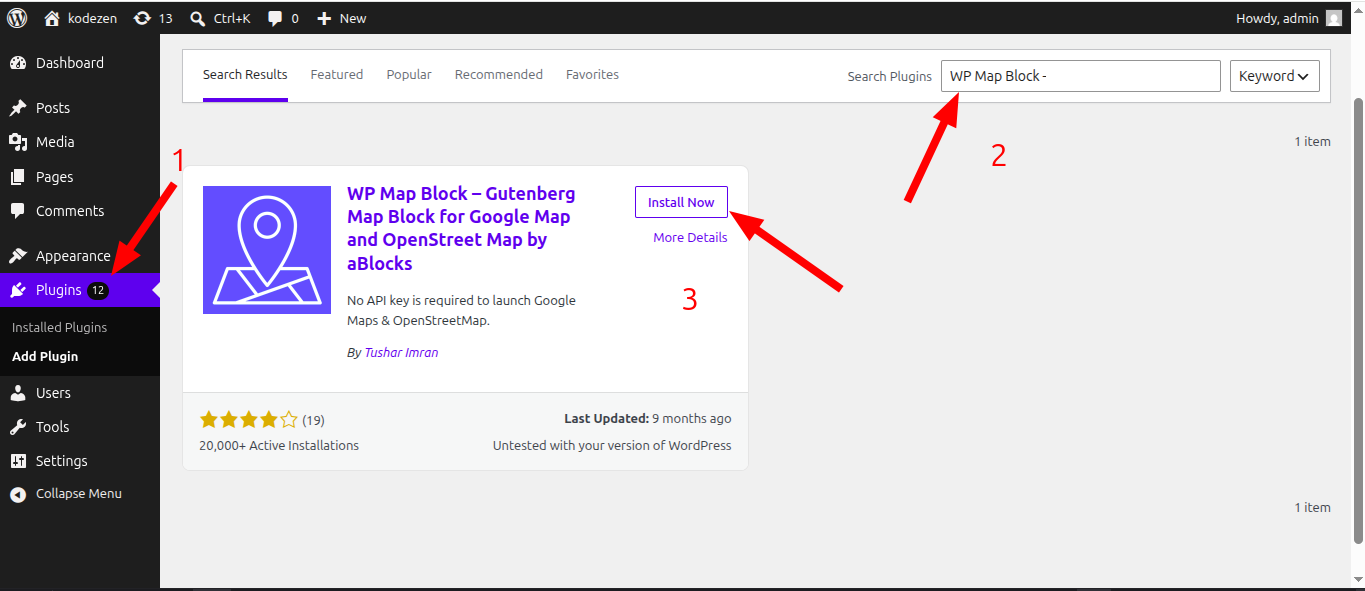
Install from your dashboard
- Go to
Plugins → Add Newand search for WP Map Block. - Click Install Now, then Activate.
- A new
Mapsitem appears in your admin menu.
Install by upload
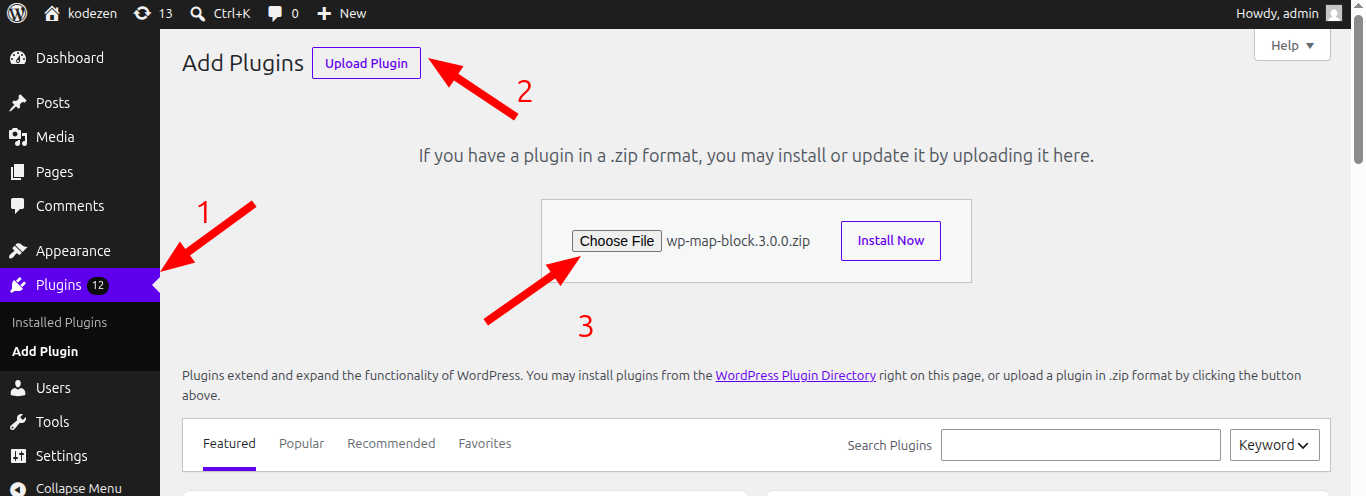
- Download the
.zipfrom your account or WordPress.org. - Go to
Plugins → Add New → Upload Pluginand choose the file. - Click Install Now, then Activate.
On first activation the setup wizard opens to pick your default provider.
Requirements
- WordPress 6.5+ and PHP 7.4+
- No API key for OpenStreetMap; a free key for Google & premium providers
Activating Pro
Install the free plugin first, then add WP Map Block Pro and activate your license to unlock premium features.