

Let’s build and publish a simple map in about five minutes.
- Go to
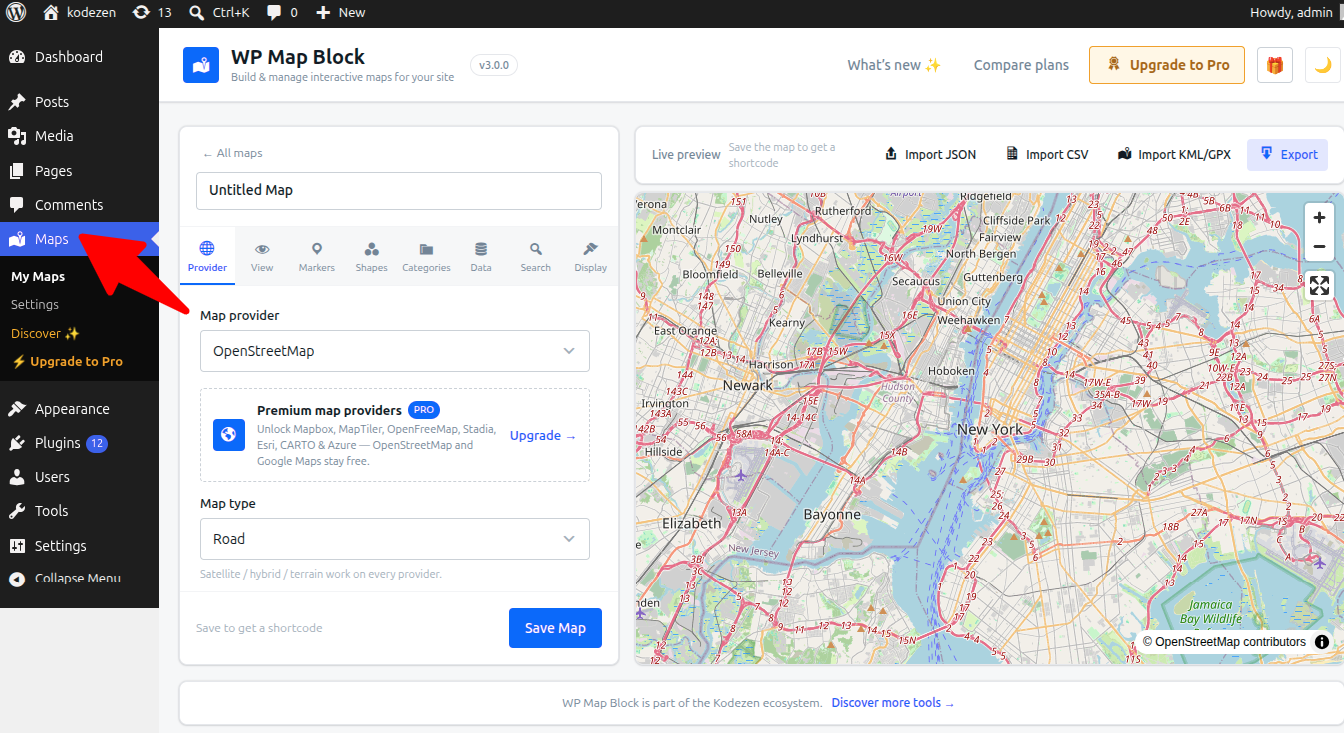
Maps → Add Newto open the builder. - In the Provider panel, keep OpenStreetMap (or pick another).
- Open the Markers panel, click Add marker, and search an address — or click directly on the map to drop a pin.
- Give the marker a title and description in its popup.
- Set the starting View (center & zoom) so the map opens where you want.
- Click Save.
Put it on a page
Two ways to publish:
- Block: edit a page, add the WP Map Block block and pick your map.
- Shortcode: copy the shortcode from the builder toolbar and paste it anywhere.
[wp_map id="12"]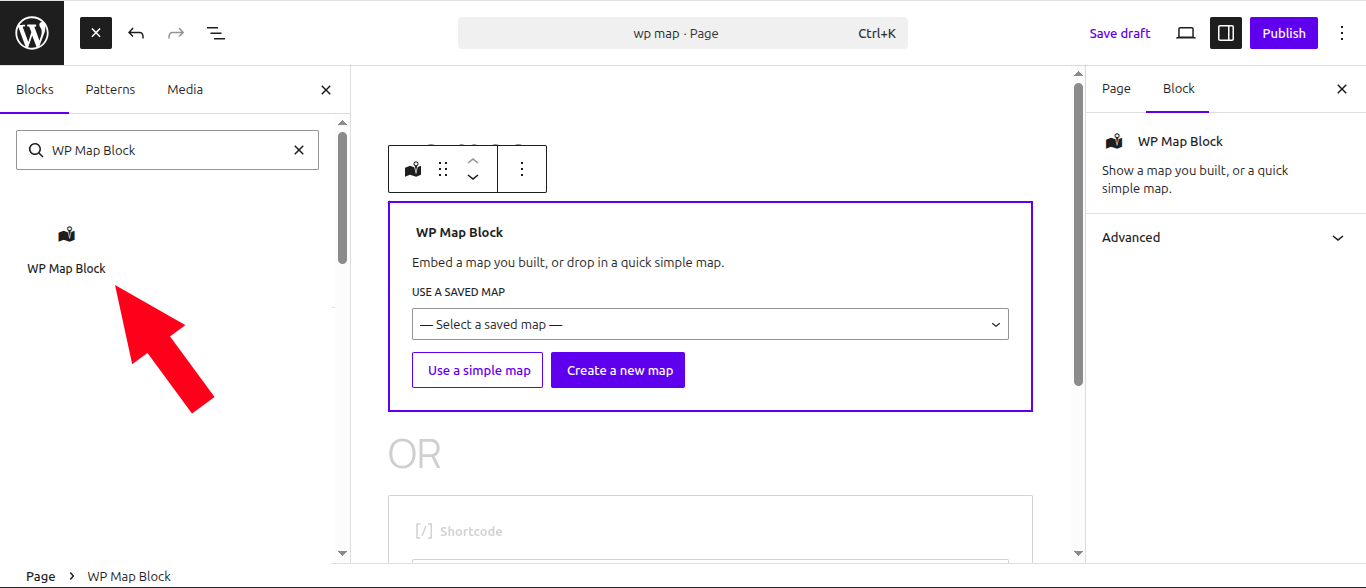
That’s it — a live, responsive map. Next, learn about popups & custom icons.