

Two ways to keep busy maps readable. Clustering is free; heatmaps are a Pro layer.
Clustering
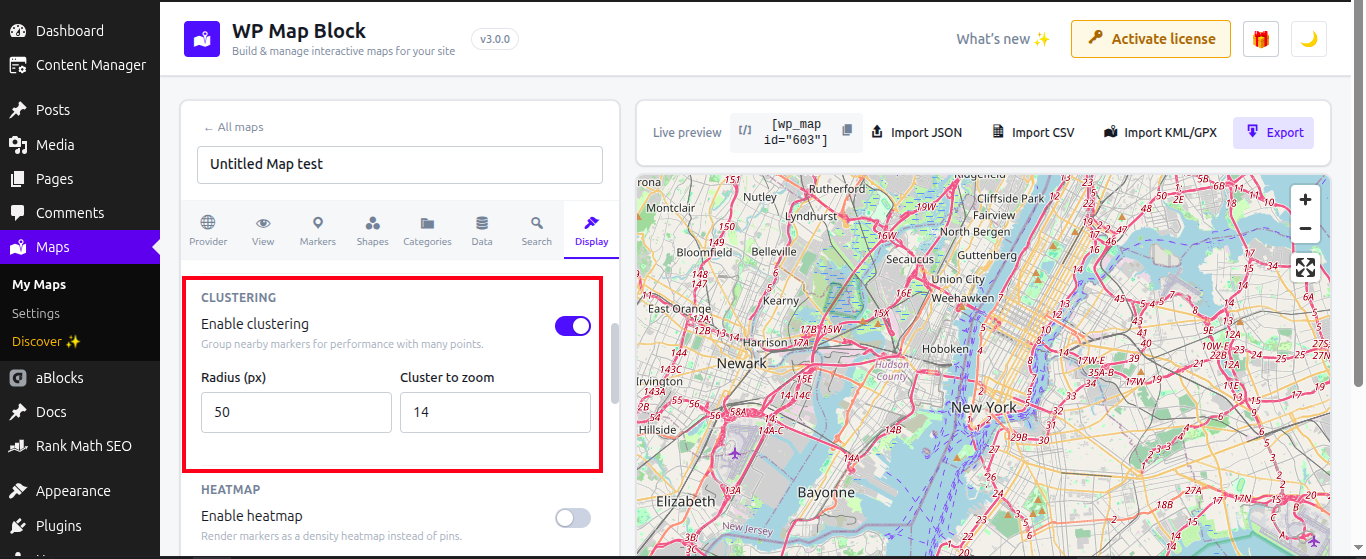
When markers are close together, clustering groups them into a single numbered badge that splits apart as visitors zoom in.
- Open the Clustering panel.
- Turn clustering on.
- Adjust the radius — larger values group more aggressively.
Use clustering whenever a map has more than ~50 markers in view; it keeps the map fast and uncluttered.
Heatmaps Pro
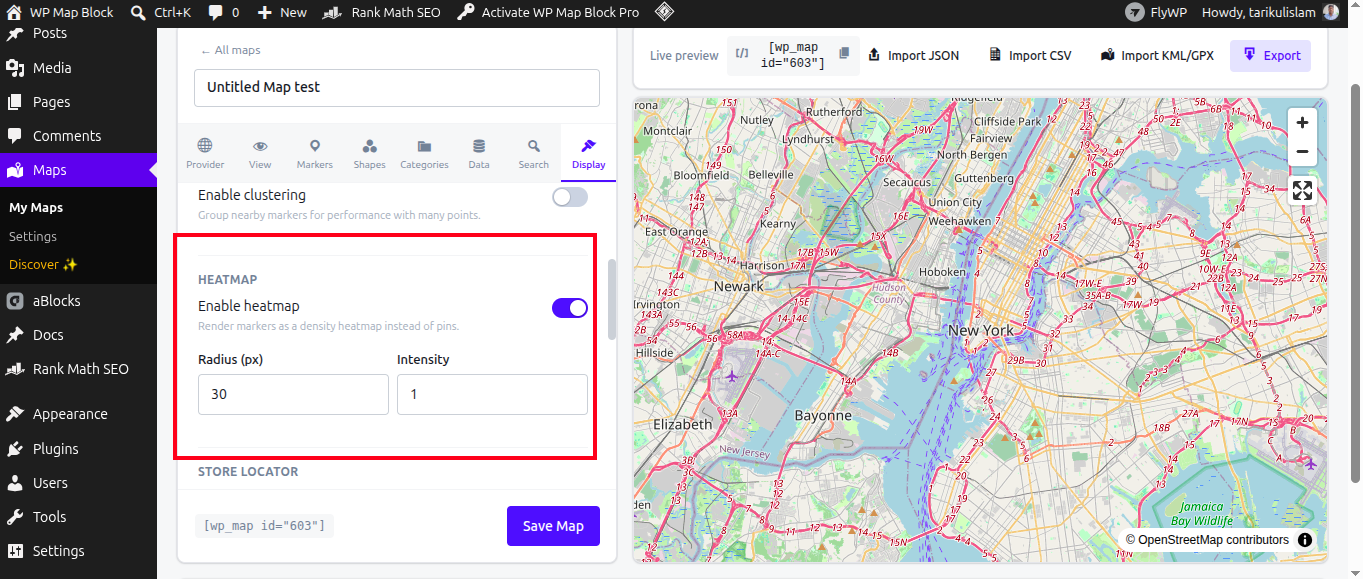
A heatmap turns many points into a smooth density gradient — ideal for showing “where” rather than each exact pin (sales by area, incident hotspots, footfall).
- Enable Heatmap on the map (Pro).
- Set the radius to control how much each point spreads.
- Publish — the heatmap renders from the same marker data.
Clustering and heatmaps are alternatives — pick the one that tells your story best.