

Animations draw the eye to the markers that matter — a new store, a featured venue, the “you are here” pin. WP Map Block Pro offers three subtle motion styles.
Animation styles
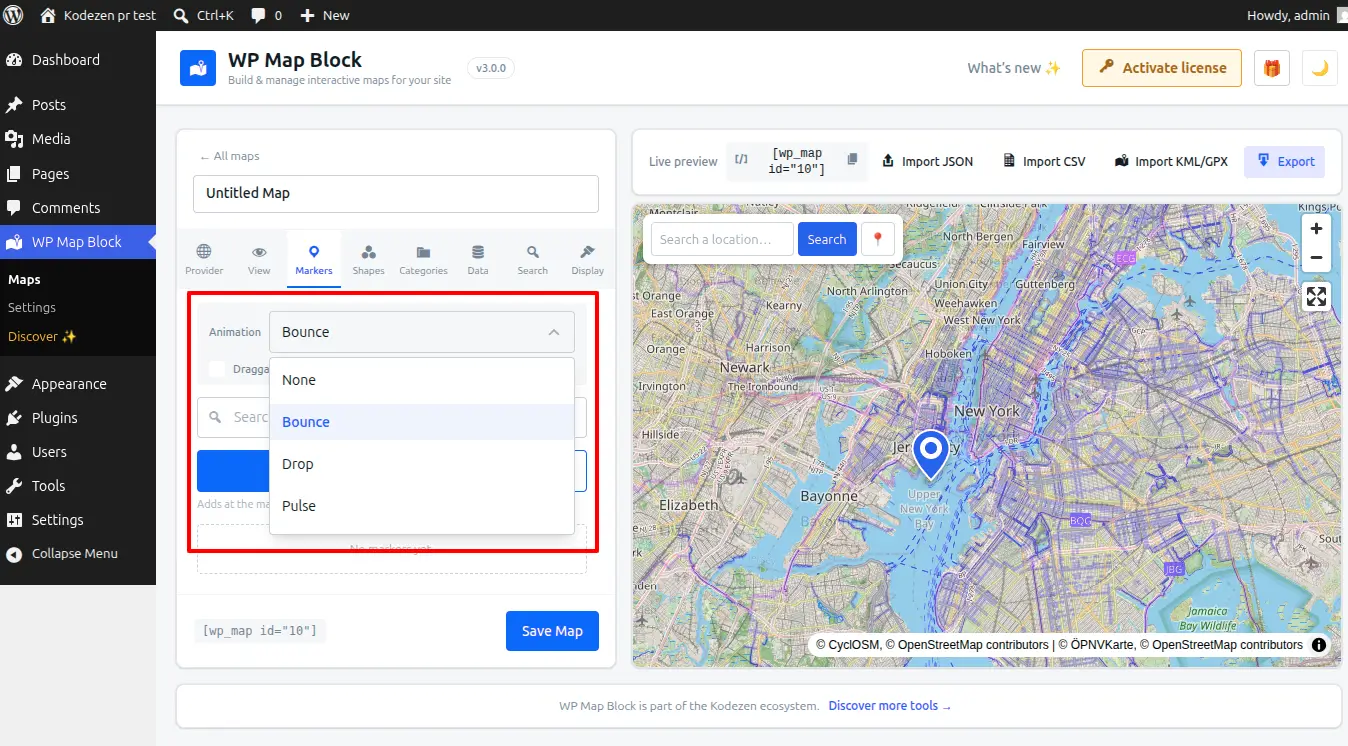
- Drop — the marker falls into place when the map loads. Great as a one-time, polished entrance for all pins.
- Bounce — a gentle, repeating hop. Best used on a single highlighted marker so it stands out from the rest.
- Pulse — a soft ring radiates out from the marker, like a live “ping”. Ideal for a current-location or primary pin.
Turn on animations
- Open the map in the builder.
- In the marker options, choose an animation — Drop, Bounce or Pulse (or None).
- Save and preview — the motion appears on the live map.
Whole map vs. one marker
Apply an animation to every marker for a consistent effect (Drop works well here), or set it on a single marker to spotlight one location while the others stay still — the most effective way to guide attention.
Less is more: a page full of bouncing pins is distracting. Reserve Bounce and Pulse for one “hero” marker, and keep the rest static or use a one-time Drop.