

Give visitors turn-by-turn directions to any location, drawn right on your map — no jumping out to another site.
Enable directions
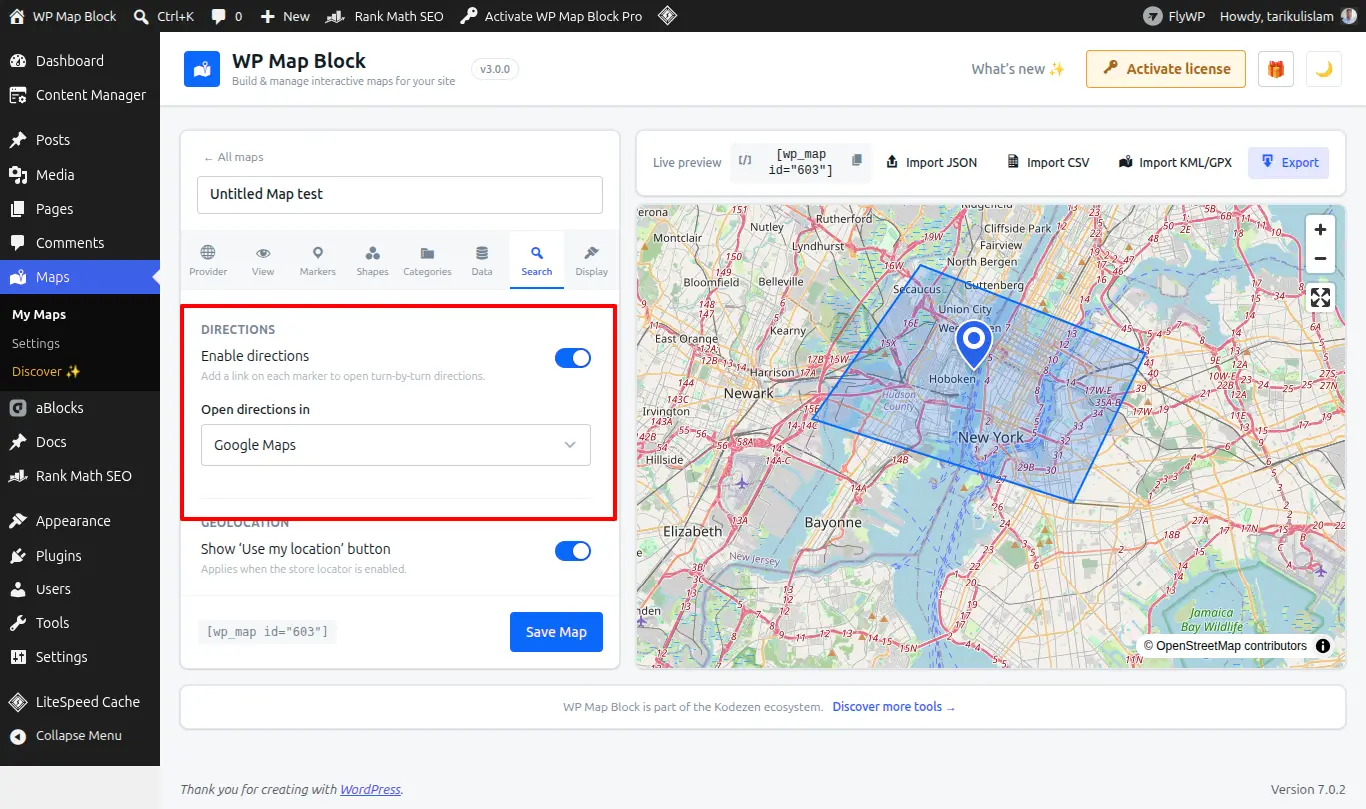
- Open the map’s directions options in the builder.
- Turn directions on.
- Choose which marker(s) can be a destination.
How visitors use it
A visitor sets a start point — their current location or a typed address — and picks a destination marker. The route draws on the map with distance and estimated time.
Travel modes
Where the provider supports it, offer driving, walking, cycling or transit routes.
Directions depend on the map provider’s routing service — Google offers the fullest coverage. If routing is unavailable, confirm the provider and its API key.